La qualité de streaming 4K vs 1080p est une question véritablement pratique, pas seulement une comparaison de fiche technique — la bonne réponse dépend de votre écran, de votre distance d'assise, et, tout autant, de si votre connexion peut soutenir la bande passante plus élevée que le 4K nécessite réellement. Ce guide compare directement les deux formats : ce qui change techniquement, ce que vous remarquerez réellement, et quand la mise à niveau en vaut la peine par rapport à quand un flux 1080p stable est le meilleur choix réel.
Ce qui change réellement entre la qualité de streaming 4K et 1080p
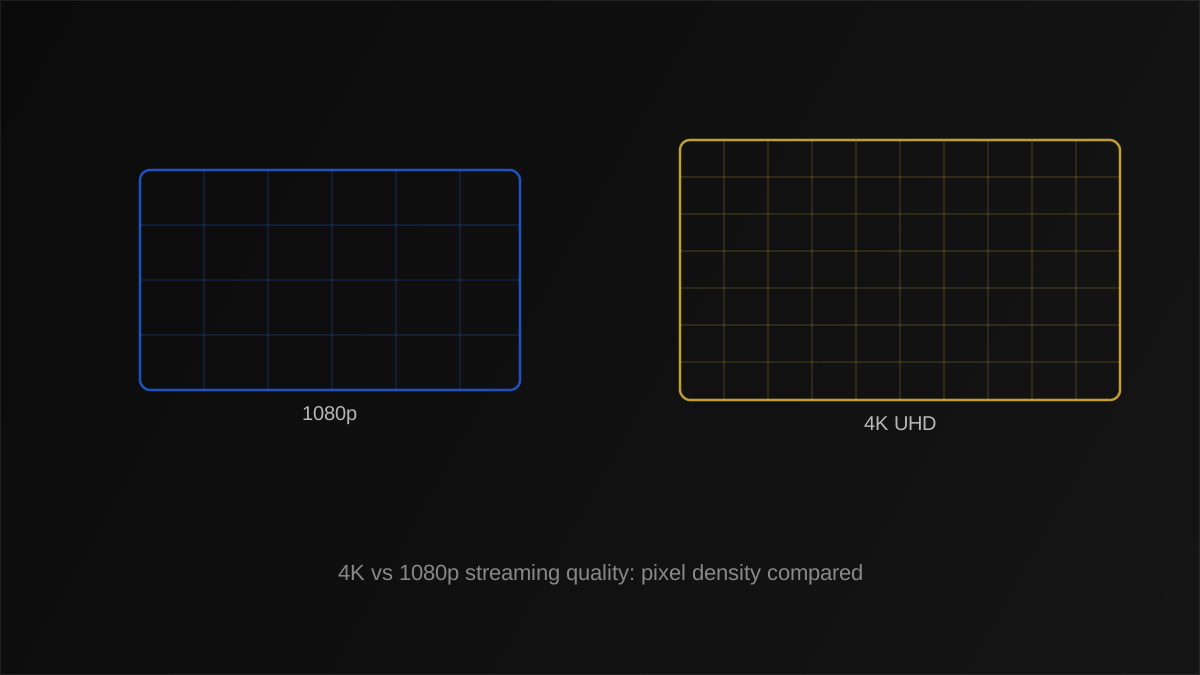
Le 1080p (Full HD) est 1920×1080 pixels, environ 2,1 millions de pixels au total. Le 4K (Ultra HD) est 3840×2160, environ 8,3 millions de pixels — presque exactement quatre fois plus. Plus de pixels signifie qu'un détail plus fin est possible, mais si vous pouvez réellement percevoir ce détail supplémentaire dépend de facteurs au-delà du simple nombre de pixels brut.
Taille d'écran et distance de visionnage
La densité de pixels par rapport à votre œil compte plus que le simple nombre de pixels. Sur une TV de 32 pouces vue depuis l'autre côté d'un salon typique, les deux formats peuvent sembler presque identiques, puisque votre œil ne peut pas résoudre les pixels individuels à cette densité et distance de toute façon. Sur un écran de 65 pouces ou plus, particulièrement vu de près, le détail supplémentaire en 4K devient bien plus facile à percevoir réellement.
Qualité de masterisation de la source
Une source 4K mal encodée ou fortement compressée peut sembler pire qu'une source 1080p bien encodée. La résolution n'est qu'une entrée parmi d'autres dans la qualité perçue — voir notre guide du débit de streaming pour comment le débit binaire et la résolution interagissent pour déterminer ce que vous voyez réellement à l'écran.
Qualité de streaming 4K vs 1080p : besoins en bande passante et en vitesse internet
C'est là que la comparaison devient pratique plutôt que théorique. Une résolution plus élevée nécessite significativement plus de bande passante pour diffuser sans compromis :
| Qualité | Débit binaire typique | Vitesse de connexion recommandée |
|---|---|---|
| 1080p (HD) | 4-8 Mbps | 15+ Mbps |
| 4K (UHD) | 15-25+ Mbps | 25+ Mbps |
L'écart entre le débit binaire typique et la vitesse recommandée existe délibérément, donnant à votre connexion une marge pour absorber les fluctuations normales sans perdre d'images ni de mise en mémoire tampon. Voir notre guide de vitesse internet pour le streaming pour la répartition complète, y compris comment plusieurs appareils simultanés multiplient ces chiffres.
Astuce
Effectuez un test de vitesse à votre heure de visionnage normale avant de vous engager envers le 4K comme paramètre par défaut — une connexion qui teste bien à 14h peut se comporter très différemment pendant les heures de pointe du soir.
Avantages et inconvénients de la qualité de streaming 4K vs 1080p
| Résolution | Avantages | Inconvénients |
|---|---|---|
| 4K | Détail plus net sur grands écrans, pérenne | Exigence de bande passante plus élevée, moins tolérant d'une connexion faible |
| 1080p | Plus stable sur des connexions modestes, utilisation de données plus faible | Détail visiblement plus doux sur les grands écrans vus de près |
Quand la qualité de streaming 4K vaut véritablement la peine d'être priorisée
- Écrans de 55 pouces et plus, où la densité de pixels supplémentaire est plus perceptible.
- Distances d'assise proches, courantes dans les pièces plus petites avec un grand écran.
- Contenu originellement masterisé en 4K, plutôt que suréchantillonné depuis une source de résolution inférieure.
- Une connexion qui soutient constamment, pas seulement occasionnellement, 25+ Mbps.
Quand le 1080p est le choix le plus intelligent
- Écrans plus petits, sous environ 43 pouces, où la différence est difficile à percevoir du tout.
- Connexions incohérentes ou partagées, où la demande de bande passante du 4K risque une mise en mémoire tampon fréquente.
- Plusieurs flux simultanés dans le même foyer, où le 1080p laisse plus de marge de bande passante pour tout le monde.
Erreur courante
Forcer le 4K sur une connexion marginale. Un flux 1080p stable a systématiquement l'air meilleur en pratique qu'un flux 4K qui se met en mémoire tampon ou perd la qualité de manière répétée pendant la lecture.
Comment le choix du codec vidéo change le véritable compromis entre qualité de streaming 4K et 1080p
Les chiffres de débit binaire ci-dessus supposent un codec spécifique, et l'efficacité du codec modifie significativement la comparaison pratique. Le contenu encodé avec le plus récent codec H.265 (HEVC) peut offrir une qualité 4K comparable à un débit binaire notablement plus bas que le même contenu encodé avec l'ancien H.264 — voir notre comparatif H.264 vs H.265 pour la répartition complète. En pratique, cela signifie qu'un fournisseur utilisant un encodage plus efficace peut offrir un 4K plus fluide sur une connexion qui lutterait véritablement avec un 4K encodé moins efficacement, ce qui est une raison pour laquelle deux services annonçant tous deux « 4K » peuvent se comporter très différemment sur exactement la même connexion.
Cela explique aussi pourquoi les chiffres de débit binaire dans le marketing des fournisseurs devraient être lus comme un guide approximatif plutôt qu'une règle absolue — le codec sous-jacent, pas seulement l'étiquette de résolution, a un effet réel et mesurable sur la quantité de bande passante qu'un niveau de qualité donné nécessite réellement en pratique.
Superposer le HDR sur le 4K : le tableau combiné de bande passante
Le 4K et le HDR sont fréquemment regroupés ensemble dans le marketing, mais ils imposent des demandes séparées et additives à votre connexion. Le contenu HDR porte typiquement des métadonnées supplémentaires et, selon la source, un débit binaire quelque peu plus élevé que la même résolution sans lui, puisque préserver la plage de luminosité et de couleur plus large autour de laquelle le HDR est construit bénéficie de plus de données pour fonctionner. Une connexion qui gère confortablement le 4K standard peut avoir besoin d'un peu plus de marge pour du contenu 4K qui porte aussi du HDR10, HDR10+, ou Dolby Vision — vaut la peine de garder à l'esprit si un flux se met en mémoire tampon spécifiquement sur du contenu marqué HDR tandis que le contenu non-HDR à la même résolution joue sans problème.
Comment le suréchantillonnage affecte la qualité de streaming 4K vs 1080p perçue
Tout ce qui est étiqueté « 4K » n'a pas réellement été filmé ou masterisé à cette résolution — une quantité significative de contenu est suréchantillonnée depuis une source 1080p ou inférieure en utilisant des algorithmes qui estiment le détail manquant plutôt que de le capturer réellement. Le 4K suréchantillonné peut toujours sembler notablement meilleur que le 1080p natif grâce à un bon algorithme de suréchantillonnage et au propre traitement de votre écran, mais il ne correspondra pas à une véritable masterisation 4K native. Le propre moteur de suréchantillonnage de votre TV joue aussi un rôle : un écran de haute qualité peut faire paraître un flux 1080p natif plus net que le même contenu joué sur le suréchantillonneur d'un écran plus faible, ce qui vaut la peine de garder à l'esprit lors de la comparaison de la qualité entre différents appareils plutôt que de supposer que la résolution seule raconte toute l'histoire.
Remarque
La résolution et le HDR sont des facteurs séparés et indépendants — un flux 4K sans HDR peut sembler plus plat qu'un flux 1080p bien masterisé avec HDR. Voir notre comparatif HDR10 vs HDR10+ pour comment la plage dynamique affecte la qualité d'image séparément du nombre de pixels.
Dépannage des problèmes de qualité de streaming 4K
Le flux 4K continue de chuter vers une qualité inférieure
C'est généralement le streaming à débit adaptatif répondant aux conditions réseau en temps réel plutôt qu'une panne — voir notre liste de contrôle de dépannage du buffering pour les causes sous-jacentes.
Le contenu 4K paraît doux ou flou malgré une connexion rapide
Vérifiez si la source est réellement du 4K natif ou suréchantillonné, et confirmez que votre application de lecture ne revient pas par défaut à un niveau de qualité inférieur manuellement — certaines applications plafonnent la qualité à moins d'être changées dans les paramètres.
Aucune différence notable après le passage au 4K
La taille de l'écran et la distance de visionnage sont l'explication la plus courante — voir les conseils sur la taille d'écran ci-dessus avant de supposer que quelque chose est mal configuré.
Comment votre appareil affecte la qualité de streaming 4K vs 1080p
La comparaison ne concerne pas purement votre connexion et votre écran — le propre matériel de votre appareil de streaming joue aussi un rôle réel. Décoder le 4K, particulièrement avec des codecs plus récents comme le H.265 ou l'AV1, exige plus de puissance de traitement que décoder le 1080p. Les boîtiers de streaming plus anciens et les Smart TV économiques manquent parfois de décodage matériel dédié pour ces formats, forçant un décodage logiciel plus lent qui peut causer des saccades même quand votre connexion réseau est entièrement capable de livrer le flux sans problème. Si la lecture 4K saccade spécifiquement tandis que le 1080p sur la même connexion et application joue parfaitement, un appareil sous-alimenté — pas votre bande passante — est l'explication la plus probable.
C'est une distinction de diagnostic véritablement utile : un problème de bande passante tend à se manifester comme une mise en mémoire tampon ou des chutes automatiques de qualité, tandis qu'un problème de décodage d'appareil tend à se manifester comme des saccades ou des images perdues malgré que le flux lui-même se charge sans interruption. Tester la même chaîne 4K sur un appareil différent et plus capable est le moyen le plus rapide de distinguer les deux.
Exemple concret : choisir la qualité pour une connexion domestique partagée
- Un foyer avec une connexion de 100 Mbps a trois personnes qui diffusent simultanément sur différents appareils.
- Deux téléspectateurs en 1080p utilisent environ 8-16 Mbps combinés, laissant une marge confortable.
- Ajouter un troisième téléspectateur en 4K ajoute 15-25+ Mbps supplémentaires, poussant l'utilisation totale plus près du plafond réel de la connexion une fois que la surcharge et la fluctuation sont prises en compte.
- Activer la QoS, couverte dans notre guide des paramètres routeur, aide à prioriser le trafic si la mise en mémoire tampon apparaît pendant l'utilisation simultanée de pointe.
Ce genre de calcul simple de bande passante, fait avant de s'engager envers le 4K par défaut sur chaque appareil, évite un processus frustrant d'essais et d'erreurs plus tard.
Au-delà du 4K : la 8K est-elle déjà pertinente ?
Le streaming 8K existe mais reste une considération de niche pour la plupart des téléspectateurs aujourd'hui — voir notre guide du streaming 8K pour où il en est actuellement. Pour la grande majorité des foyers, la décision pratique significative reste carrément entre le 1080p et le 4K, pas le 4K et le 8K.
Termes sémantiques à connaître
Des termes comme le débit binaire, le suréchantillonnage, et le streaming à débit adaptatif sont couverts dans notre glossaire des termes de streaming et le glossaire IPTV complet, des compagnons utiles lors de la comparaison des niveaux de qualité. Pour les spécifications techniques formelles derrière ces normes de résolution, l'entrée Wikipédia sur la résolution 4K et la référence 1080p fournissent les définitions officielles des dimensions de pixels.
Points clés à retenir
- Le 4K a environ quatre fois le nombre de pixels du 1080p, mais la différence n'est clairement visible que sur des écrans plus grands ou à des distances de visionnage plus proches.
- Le streaming 4K nécessite significativement plus de bande passante — prévoyez 25+ Mbps soutenus, pas seulement de pointe.
- Un flux 1080p stable a généralement l'air meilleur qu'un flux 4K qui se met en mémoire tampon ou perd la qualité de manière répétée.
- La résolution et le HDR sont des facteurs indépendants — les deux affectent la qualité d'image perçue séparément.
Conclusion
La qualité de streaming 4K vs 1080p n'est pas une question avec une réponse universelle unique — elle dépend de la taille de votre écran, de votre distance d'assise, et, de manière critique, de si votre connexion peut soutenir la bande passante plus élevée de manière constante plutôt que seulement à sa vitesse annoncée de pointe. Vérifiez quels niveaux de qualité sont inclus sur notre page de tarifs, et utilisez les conseils de bande passante ci-dessus pour choisir l'option qui jouera réellement sans problème dans votre configuration spécifique, plutôt que de choisir par défaut le chiffre le plus élevé sur le seul principe.
À explorer sur IPTVLinux