Streaming technologies rarely get explained together, in one place, at a level that's technical enough to be genuinely useful without requiring an engineering background. Most explanations either stay too surface-level to help with real troubleshooting, or dive into protocol-level detail that loses non-specialist readers immediately. This guide sits in between: nine core streaming technologies, explained clearly, with just enough technical grounding to make the rest of our blog's deeper guides easier to follow.
If you want the narrative, plain-English version of how these pieces fit together end to end, our how streaming technology actually works article is a gentler starting point. This guide instead treats each concept as its own reference entry, cross-linked to a full deep-dive article where one exists.
The 9 essential streaming technologies
1. M3U and M3U8 playlists
The playlist format that tells a player app which channels exist and where to find them. See our M3U playlist explainer, M3U8 format guide, and full IPTV playlists format guide for the complete picture.
2. HLS (HTTP Live Streaming)
Apple's widely-adopted protocol for delivering video in small, sequential segments over standard HTTP. Our HLS explained guide covers exactly how segmentation and adaptive bitrate switching work together. The original specification is documented in IETF RFC 8216, if you want the primary technical source.
3. MPEG-DASH
An open, codec-agnostic alternative to HLS with similar segmented delivery. Our MPEG-DASH explained guide and HLS vs MPEG-DASH comparison cover where each is typically used.
4. EPG (Electronic Program Guide) data
The schedule information layered over live channels. Our EPG explained guide covers how this data is structured and matched to channels.
5. XMLTV
The standard format most EPG data is actually delivered in. See our XMLTV guide for the technical structure behind program guide feeds.
6. CDNs (Content Delivery Networks)
The distributed server infrastructure that delivers video from a location physically close to you, reducing latency and load times. Our CDN explained guide covers how this geographic distribution actually works.
7. Adaptive bitrate streaming
The mechanism that automatically adjusts video quality in real time based on your current connection conditions. Our adaptive bitrate streaming guide explains the switching logic in detail.
8. Video codecs (H.264, H.265, AV1)
The compression algorithms that make streaming bandwidth-efficient in the first place. See our H.264 vs H.265 comparison and AV1 codec guide for how these tradeoffs actually play out.
9. Transcoding
The process of converting video from one format, resolution, or bitrate to another, often happening live as a stream is delivered to different devices with different capabilities. Our video compression guide covers the underlying compression principles transcoding depends on.
Tip
You don't need to master all nine streaming technologies to use IPTV effectively — understanding just HLS, M3U, and EPG covers the concepts that come up most often in day-to-day troubleshooting.
A brief history of how these streaming technologies evolved
None of these nine streaming technologies appeared all at once. Early internet video relied on simple progressive download — essentially, downloading an entire file before or while playing it, with no adaptation to connection quality at all. HLS emerged in the late 2000s specifically to solve the reliability problems progressive download couldn't handle on mobile networks, segmenting video into small chunks that could be requested individually over standard web infrastructure. MPEG-DASH followed shortly after as an open, vendor-neutral alternative, driven by a desire in the broader industry not to depend entirely on a single company's proprietary format.
Codecs evolved in parallel, each generation trading additional computational complexity for meaningfully smaller file sizes at equivalent quality — H.264 gave way to H.265, which is now increasingly joined by AV1 as device hardware catches up to decode it efficiently. CDNs, meanwhile, grew from a niche optimization used by only the largest video platforms into essential infrastructure that nearly every streaming service, including most IPTV providers, now depends on by default. Understanding this progression helps explain why certain older devices handle some streaming technologies better than others — hardware built before a given standard existed often can't take full advantage of it, regardless of software updates.
Bandwidth and cost tradeoffs across the technology stack
Every one of these streaming technologies involves some tradeoff between bandwidth efficiency, processing demand, and compatibility. More efficient codecs reduce bandwidth but increase decoding demand. CDNs reduce latency but add infrastructure cost that providers must factor into pricing. Adaptive bitrate streaming improves the viewer experience under variable conditions but requires storing or generating multiple quality versions of the same content. None of these tradeoffs are inherently good or bad — they simply reflect different priorities, and understanding them helps explain why providers make the technical choices they do, rather than assuming every implementation detail is arbitrary.
Security and DRM considerations within the streaming technology stack
Content protection sits alongside, rather than replacing, the technologies covered above. Digital Rights Management (DRM) systems typically integrate with HLS or MPEG-DASH delivery, encrypting individual segments so that only authorized player apps holding a valid license or token can decode and display them. This is separate from general network security — a stream can be delivered over an encrypted HTTPS connection and still require additional DRM-level authorization before playback begins. For most IPTV viewers, this layer is invisible day-to-day, surfacing only as an occasional "not authorized" error rather than anything requiring direct configuration, though our streaming security guide and streaming privacy guide cover the broader security and privacy landscape in more depth.
It's a useful distinction to keep in mind: a "not authorized" or licensing-related error message is almost never a sign of a network or device problem, and troubleshooting steps aimed at connectivity generally won't resolve it — the fix, if there is one, lies entirely on the provider's authorization side of the stack.
Where these streaming technologies are headed next
Low-latency variants of both HLS and MPEG-DASH are steadily gaining adoption, aimed at shrinking the multi-second delay that traditional segmented streaming introduces compared to old-fashioned broadcast television — a gap that matters most for live sports, where a neighbor's over-the-air broadcast reacting to a goal several seconds before your stream does is a genuinely noticeable experience gap. Codec efficiency continues improving as well, with AV1 adoption growing as more device hardware ships with dedicated decoding support, gradually reducing the bandwidth every one of these technologies needs to move to deliver comparable quality. None of this requires action from a typical viewer — these improvements arrive transparently through provider infrastructure and app updates — but it's worth knowing that the streaming technologies underlying your IPTV service continue to mature well after your last app update.
How these streaming technologies work together in a single stream
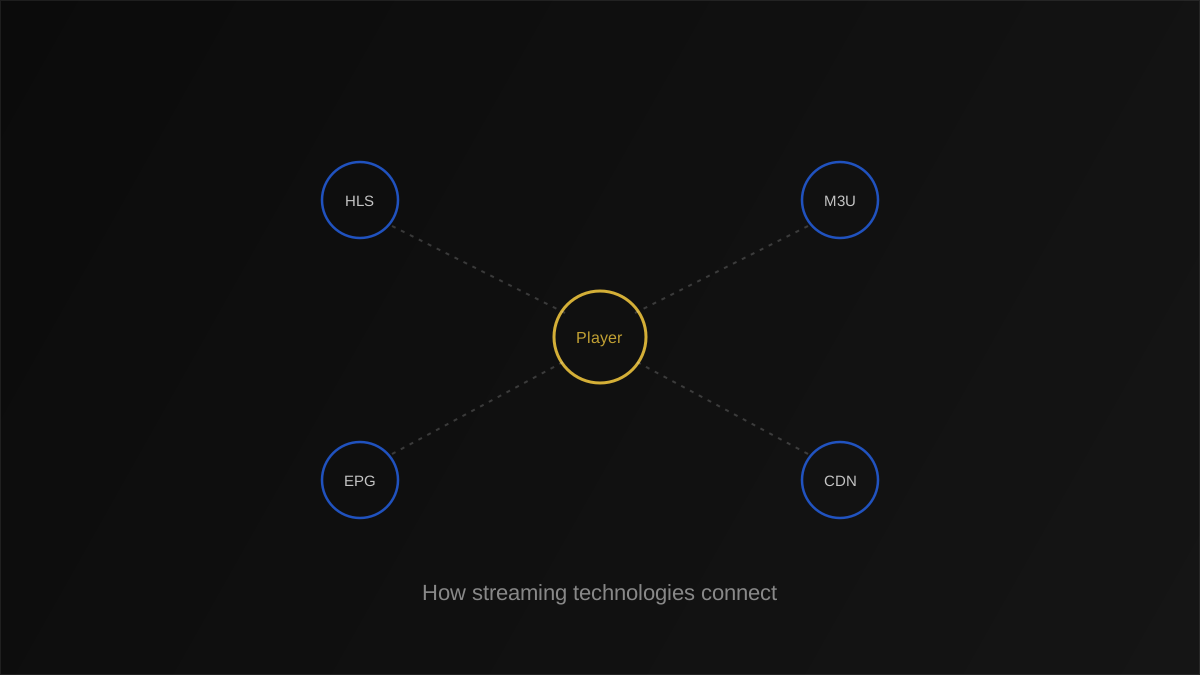
A single live IPTV channel typically touches most of these technologies in sequence: source video is compressed with a codec, delivered through a CDN, segmented using HLS or MPEG-DASH, listed in an M3U playlist, matched to XMLTV-formatted EPG data, and adjusted in real time via adaptive bitrate streaming based on your connection. Understanding this chain makes it much easier to pinpoint where a specific problem is actually occurring — a codec issue looks different from a CDN issue, even though both can produce similar-looking symptoms on screen.
It's worth emphasizing that this entire chain typically completes in well under a second from source to your screen, even though it involves passing through half a dozen distinct systems — a genuinely impressive feat of modern streaming technologies working in concert, one that's easy to take for granted until something in the chain breaks.
| Technology | Layer | What breaks if it fails |
|---|---|---|
| Codec | Compression | Playback fails or looks corrupted |
| CDN | Delivery | Slow start, buffering, timeouts |
| HLS / MPEG-DASH | Segmentation | Stuttering, failed quality switches |
| M3U playlist | Channel listing | Channels missing or won't load |
| EPG / XMLTV | Program data | Blank or wrong guide info |
HLS versus MPEG-DASH: pros and cons
| Protocol | Pros | Cons |
|---|---|---|
| HLS | Extremely broad device support, Apple-native | Historically less flexible codec support |
| MPEG-DASH | Open standard, codec-agnostic | Slightly less universal player support |
Note
Most modern IPTV player apps abstract these protocol differences away entirely — as a viewer, you rarely need to choose between HLS and MPEG-DASH directly, since the app handles it automatically.
Comparing modern streaming technologies to traditional broadcast
Traditional cable and satellite broadcast technology sends every channel continuously to every subscriber simultaneously, regardless of who's watching, over dedicated infrastructure built specifically for that purpose. IPTV's underlying streaming technologies work fundamentally differently: video travels over general-purpose internet infrastructure, requested individually by each viewer's device, using the same segmented delivery methods websites and other internet services rely on. This distinction explains several practical differences viewers notice — IPTV can offer far more channels and on-demand content without needing dedicated broadcast infrastructure for each one, but it also means your specific internet connection quality directly affects your viewing experience in a way broadcast television's dedicated signal never did.
It also explains why IPTV services can update their channel lineup, add on-demand titles, or adjust EPG data far more fluidly than a traditional broadcaster ever could — there's no physical infrastructure to reconfigure, just playlist and metadata updates propagating through the same streaming technologies covered throughout this guide.
Device compatibility considerations across the technology stack
Not every device supports every streaming technology equally well, and this matters more than most viewers realize when choosing hardware. Older streaming boxes may lack hardware decoding support for H.265 or AV1, forcing software-based decoding that's slower and more battery- or power-intensive, sometimes resulting in stuttering playback despite an excellent network connection. Similarly, some older or budget devices handle only HLS and not MPEG-DASH, which is rarely an issue since most IPTV providers standardize on HLS specifically for this reason, but becomes relevant if you're building a custom setup that pulls from multiple, differently-configured sources.
When shopping for a new streaming device, checking its supported codec list against what your IPTV provider actually delivers is a genuinely useful, if slightly technical, step that prevents a frustrating mismatch after purchase — our best streaming devices guide covers current hardware options with this compatibility question in mind.
Why understanding streaming technologies helps with troubleshooting
When a specific channel buffers constantly while others play fine, knowing that adaptive bitrate streaming responds to your connection in real time tells you the problem might be source-side quality, not your network. When an entire provider's channels fail to load simultaneously, understanding CDN distribution suggests a server-side outage rather than a local device problem. Framing symptoms in terms of which underlying streaming technology is responsible turns vague frustration into a specific, checkable hypothesis — exactly the mindset our streaming troubleshooting guide is built around.
Warning
Don't assume every playback issue is protocol-related — network conditions and device hardware limitations remain the most common root causes even when the symptom looks technical.
Streaming technologies that matter more for live TV than on-demand video
- EPG and XMLTV — largely irrelevant to on-demand catalogs, essential for live channel browsing.
- Adaptive bitrate streaming — matters for both, but failures are far more noticeable on live content with no buffer to fall back on.
- CDN distribution — critical for both, though live streams are more latency-sensitive than pre-recorded video-on-demand.
How codecs shape the rest of the streaming technology chain
The choice of video codec has ripple effects across nearly every other streaming technology on this list. A more efficient codec like H.265 or AV1 reduces the bandwidth required for a given quality level, which in turn reduces CDN delivery costs, makes adaptive bitrate streaming's lower rungs look better, and reduces the odds of buffering on constrained connections. The tradeoff is processing demand: newer, more efficient codecs require more computational power to decode, which is why an older streaming box might struggle with AV1 content even on a fast, stable connection — the bottleneck has moved from the network to the device itself.
A mental model for thinking about streaming technologies as layers
Rather than memorizing nine separate technologies in isolation, it helps to think of them as stacked layers, each responsible for a distinct job, similar to how networking professionals think about the OSI model in general internet infrastructure. At the bottom sits the codec, compressing raw video into a manageable size. Above that, transcoding adapts that compressed video for different target devices and quality levels. Above that, adaptive bitrate streaming via HLS or MPEG-DASH handles real-time quality switching. CDNs sit alongside this delivery layer, determining the physical path data takes to reach you. And at the top, playlists and EPG data provide the organizational and scheduling information that turns raw streams into a browsable, navigable channel lineup.
This layered view is genuinely useful beyond pure curiosity: when something goes wrong, working through the layers from bottom to top (or top to bottom, depending on the symptom) gives you a structured way to narrow down the cause instead of randomly trying unrelated fixes. A missing EPG entry points you immediately to the top organizational layer, while corrupted or frozen video points you toward the codec or transcoding layer near the bottom — two very different problems that a layered mental model helps you distinguish at a glance.
Real-world example: tracing a buffering issue through the technology stack
- A specific channel buffers every few minutes while others play smoothly.
- Since other channels work, the network and device are likely fine — pointing toward the source or CDN for that one channel.
- Testing the same channel at a different time of day still shows buffering, ruling out a temporary local congestion issue.
- The pattern suggests the provider's source encode or CDN node for that specific channel is degraded.
- Reporting it to the provider, rather than continuing to adjust local settings, is the correct next step.
Semantic terms worth knowing
For quick definitions of terms referenced throughout this guide — bitrate, transcoding, segment, manifest — see our streaming terms glossary and complete IPTV glossary.
Key takeaways
- Nine core streaming technologies — playlists, HLS, MPEG-DASH, EPG, XMLTV, CDNs, adaptive bitrate, codecs, and transcoding — work together behind every IPTV stream.
- Understanding which layer is responsible for a specific symptom makes troubleshooting far more targeted.
- Codec choice has ripple effects across bandwidth, CDN cost, and device processing demand.
- Most player apps abstract protocol-level choices away, so day-to-day viewers rarely need to interact with these technologies directly.
Conclusion
These nine streaming technologies rarely get much attention individually, yet together they explain almost everything that determines whether a stream feels instant and reliable or sluggish and frustrating. You don't need deep technical expertise to benefit from understanding them — even a rough mental model of how playlists, protocols, and delivery infrastructure fit together makes both troubleshooting and provider comparisons significantly more informed.
The next time something about your stream feels off, try locating the specific layer responsible before reaching for a generic fix. That habit, built from the nine concepts covered here, consistently leads to faster, more accurate troubleshooting than trial-and-error ever does.